
Kindle Direct Publishing for Retirees: A Practical Guide to Self‑Publishing on Amazon

If you’ve ever thought about writing a book in retirement, this guide walks you through everything you need to know about publishing on Amazon – from setting up your account to seeing your title live in the Kindle Store. No prior experience required.
Why Kindle Direct Publishing Is a Great Side Hustle in Retirement
I published my first book at 64. I had no agent, no publisher, no idea what I was doing. What I did have was a story I wanted to tell and a laptop that was already five years old. That turned out to be enough.
Kindle Direct Publishing is Amazon’s free platform for self publishing ebooks and paperbacks without going through traditional publishing gatekeepers. You write something, upload it, and Amazon handles the rest – printing, delivery, payments. There’s no inventory sitting in your garage, no shipping labels, no boss breathing down your neck. And there is absolutely no age limit.
Here’s why KDP works so well for retirees and near-retirees:
- Flexible schedule. Write at 6 a.m. or 10 p.m. – nobody cares.
- No commuting. Everything happens from your kitchen table.
- Low physical strain. If you can type and click a mouse, you can do this.
- No startup costs. Uploading and publishing is free.
Picture a 68-year-old who spent 30 years as a nurse and writes a memoir about the patients who changed her life. Or a 62-year-old master gardener who puts together a short guide called “Container Gardening for Dry Climates.” Both are realistic KDP projects that can earn royalties for years.
I won’t pretend this is get-rich-quick territory. It takes patience, learning, and usually multiple books before you see steady income. But as a creative side hustle that fits around retirement? It’s hard to beat.

What Is Kindle Direct Publishing (KDP) and How Does It Work?
Amazon KDP is Amazon’s direct publishing platform, launched in 2007 alongside the original Kindle device. It lets anyone — not just professional authors — publish and sell ebooks, paperbacks, and hardcovers worldwide from a single account. The platform supports everything from memoirs and how-to guides to children’s books and graphic novels, so whatever you’re writing, there’s likely a format that fits.
The basic workflow is simpler than most people expect. You upload a manuscript file and a cover, enter your book details — title, description, categories, and keywords — set a price, choose your territories, and hit publish. Amazon handles everything after that: printing, delivery, and payments. There’s no inventory sitting in your garage, no shipping labels to print, and no minimum order quantities. Books are printed one at a time, only when a reader orders them.
Once submitted, ebooks typically go live in under 24 hours, paperbacks within 72. Your book automatically appears on Amazon.com plus international Amazon stores — Amazon.co.uk, Amazon.ca, Amazon.com.au, and more — if you select worldwide rights. Many authors publish the same book as both an ebook and a paperback from the same KDP account, reaching readers who prefer either format without any additional setup.
KDP vs. Traditional Publishing: What Retirees Should Know
Here’s the honest comparison. Traditional publishing means finding a literary agent, submitting proposals, and waiting months — sometimes years — for responses, with no guarantee of acceptance. If you do land a deal, you might receive a modest advance against future royalties, but you’ll earn only 5–15% royalties on print books and roughly 25% or less on ebooks. You also give up most creative control over your cover design, title, and pricing — decisions that are made by the publisher, not you.
Self-publishing through Amazon KDP flips that model entirely. Amazon controls roughly 70% of all US ebook sales, which means your book lands on the biggest marketplace in the world without needing anyone’s permission, approval, or a literary agent’s blessing. KDP authors can earn up to five times more per copy sold than their traditionally published counterparts, simply because the royalty structure is fundamentally different. And unlike traditional publishing, you can update your book anytime — fix a typo, swap a cover, adjust your description — without going through anyone else.
For retirees specifically, the speed-to-market advantage matters too. You’re not waiting two years to see your work in print. You could finish writing something this month and have it available on Amazon before the end of next week.
Setting Up Your KDP Account Step by Step
This part takes about 15 minutes. Don’t overthink it.
- Sign in: Go to kdp.amazon.com and log in with your regular Amazon shopping account, or create a new account if you prefer to keep things separate.
- Complete your profile: Enter your legal name, address, and phone number in the account section. You’ll also choose your public author name – this can be your real name or a pen name.
- Tax information: U.S. citizens fill out a W-9 form directly within KDP. Non-U.S. residents use a W-8BEN. This is standard – Amazon needs it to report royalties to tax authorities. It’s straightforward, and KDP walks you through each field.
- Banking details: For U.S. authors, enter your routing number and bank account number for direct deposit. International authors typically use IBAN/SWIFT. Checks are technically possible in some countries but much slower and often carry fees. Direct deposit is the way to go.
- Relax: Once your kdp account is set up, you rarely need to touch these settings again. You can always come back to edit them later if your bank changes.
Choosing What to Write: Book Ideas That Work Well on Amazon
Let me address the most common fear right away: “I’m not a real writer.” You don’t need to be. You need to know something well enough to explain it clearly, or have a story worth telling. That’s it.
- Start with what you know: Life stories, career lessons, hobbies (golf, quilting, RV travel), faith reflections, local history, or practical guides like “Managing Retirement Finances After 65.
- Fiction works too: Cozy mysteries, clean romance, and short inspirational stories have dedicated readers on Amazon. Nonfiction how-to guides, recipe collections, and caregiving handbooks also sell consistently.
- Keep your first book short and focused. Aim for 15,000–25,000 words on one clear topic. You’ll learn the process with less overwhelm, and you can always write longer works later.
- Do basic market research. Search Amazon for similar books. Read 3–5 product pages and Amazon reviews. Note what readers praise or complain about – clarity, missing info, poor editing – and shape your book accordingly.
- Watch out for overcrowded genres. Ultra-competitive categories like fantasy or sci fi are harder for new authors to break into without strong marketing. Pick a lane where your expertise gives you a natural edge.
Manuscript Basics: From First Draft to KDP‑Ready File
Think of this as three stages: draft, edit, format.
Drafting:
- Start in a familiar tool like Microsoft Word or Google Docs. Use a readable font (Times New Roman or Garamond, 12-point) and double spacing so you have room to mark edits.
Editing:
- Read your manuscript aloud – you’ll catch awkward sentences your eyes skip over.
- Print it out and mark up pages with a pen. Old-school, but it works.
- Ask a trusted friend or fellow retiree to read it and flag confusing sections or typos.
- Consider hiring a freelance proofreader. Even a basic proofread dramatically improves a book’s content and credibility.
Formatting:
- For ebooks, keep it simple: consistent chapter headings, page breaks between chapters, no fancy fonts or text boxes that break on small screens.
- KDP accepts manuscripts in formats like DOCX and EPUB. Ebooks can be published in formats like DOCX, EPUB, and KPF (created with Amazon’s free Kindle Create tool).
- For paperback, you’ll need a properly sized PDF with correct margins and page numbers. KDP provides free templates for common trim sizes like 6×9 inches, and their previewer catches most issues before you publish.

Understanding eBooks vs. Paperbacks (and Which to Start With)
Both formats are free to upload. Here’s how they differ:
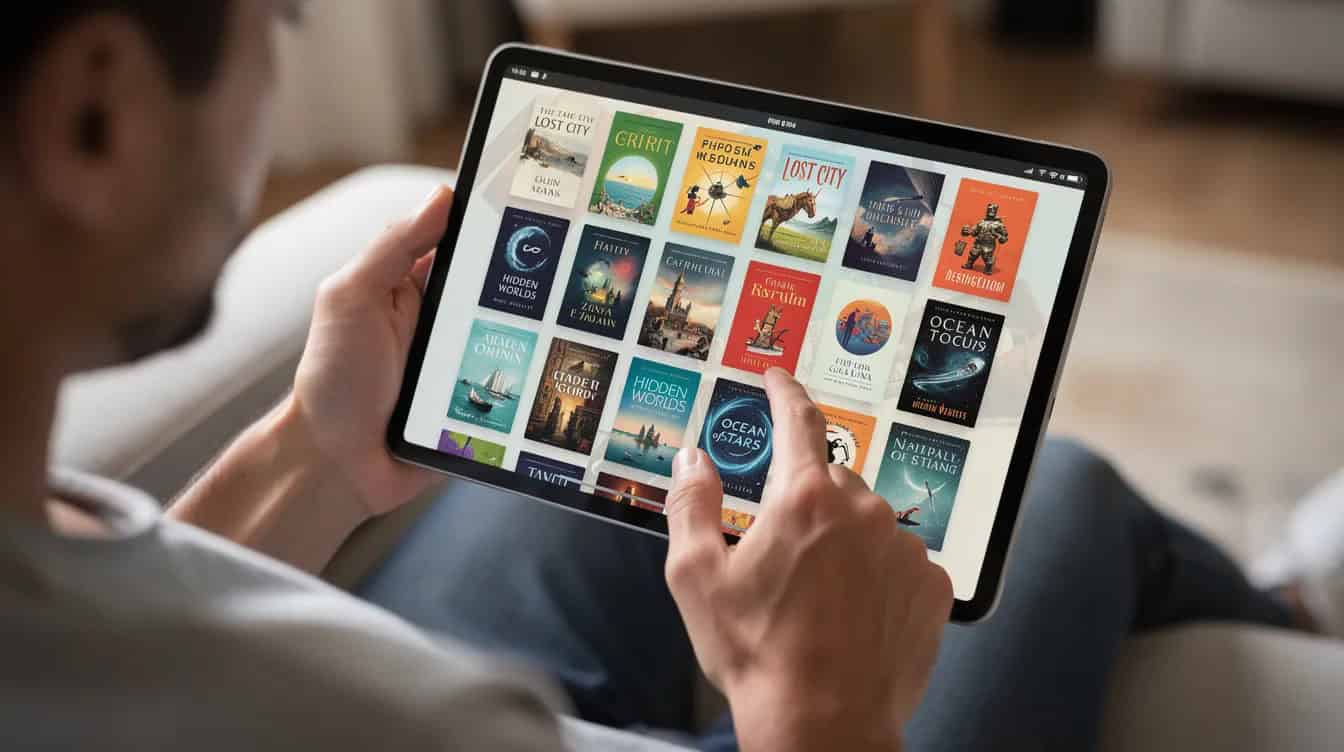
- Kindle eBook: A digital file readers access on a Kindle device, Fire tablet, or the free Kindle app on any phone or tablet. No printing, no shipping, instant delivery. Most books in popular genres like romance, self-help, and fiction sell heavily as ebooks.
- Paperback on KDP: A physical book printed on demand when someone orders it. KDP Print manages print-on-demand for paperback and hardcover books from facilities in the U.S., U.K., Germany, and other countries, keeping shipping times reasonable.
- Cost difference: Ebooks have no per-copy production cost. Paperbacks have printing costs deducted before your royalty is calculated – those costs depend on page count, ink type, and trim size.
- Reader preferences: Many retirees still enjoy holding a real paper book. But ebooks often sell at lower price points and can reach more readers quickly, especially in categories like self-help and genre fiction.
My suggestion for your first book: Publish as a Kindle eBook only. Learn the upload process, see how it looks in the previewer, get comfortable. Then publish a Kindle paperback edition of the same book once you feel ready. You can sell both from the same page on Amazon.
Entering Your Book Details: Titles, Descriptions, Categories, and Keywords
Metadata input for Kindle publishing books affects visibility and discoverability in the Amazon marketplace. In plain English: what you type into these fields determines whether readers can find your book. Here’s each field:
- Title and subtitle: Be clear and honest. “Retiring on Your Terms: A Step-by-Step Guide for Americans Over 60” tells a reader exactly what they’re getting. Clever wordplay that obscures the topic costs you clicks.
- Book description: This is your sales copy on the Amazon page. Write 3–5 short paragraphs describing who the book is for, what problem it solves, and 3–5 bullet points of key benefits. Think of it as a friendly back-cover pitch.
- Categories: Authors can select up to three categories for their books (e.g., “Retirement Planning,” “Memoirs,” “Christian Inspiration”). Pick categories that genuinely match your book, even if they seem smaller – accurate placement helps the right audience find you.
- Keywords: You get seven keyword slots, up to 50 characters each. These help Amazon’s search connect your book to readers (e.g., “retirement income planning,” “self publishing for seniors,” “beginner quilting patterns”).
- Accuracy matters. Stuffing unrelated keywords or picking mismatched categories to chase traffic backfires. It misleads readers, invites bad reviews, and hurts your book long-term. Honest metadata is what helps reaching readers who actually want what you wrote.
Cover Design for Non‑Designers: Making Your Book Look Professional
You don’t need to be an artist to succeed at Kindle publishing. You do need a cover that looks like it belongs on a bookshelf, not like it was made for a school project.
- Why it matters: On Amazon, your book cover is often seen first as a tiny thumbnail. A clear, readable design can mean the difference between a click and being scrolled past. KDP requires book covers to meet specific technical requirements to ensure quality – for ebooks, aim for around 2560 × 1600 pixels.
- Free option: KDP’s Cover Creator tool offers built-in templates where you upload an image, enter your title and author name, and KDP handles sizing.
- Simple design rules: Large, legible fonts. High contrast between text and background. One main image. Avoid tiny decorative script that’s hard to read, especially for older eyes viewing small thumbnails.
- Low-cost options: Pre-made covers from reputable designers run $50–$150. Freelancers on well-known platforms can create custom work affordably. Authors must maintain rights for all content used in their publications on KDP – always confirm you have legal permission to use any images.
- Print covers: The same basic artwork can be adapted for ebook and paperback, but print covers must include a back cover and spine, sized according to KDP’s template based on your page count and paper type.
Pricing, Royalties, and KDP Select Explained in Plain English
Let’s talk money – without any income promises.
eBook royalties:
- As of July 7, 2026, KDP authors earn up to 70% royalties on eBooks priced between $2.99 and $12.99 — Amazon’s first increase to that ceiling since 2007. Note: if you already have eBooks priced between $10.00 and $12.99, you’ll need to manually switch to the 70% royalty option in your Rights & Pricing settings, as Amazon won’t update it automatically.
- Books priced outside that range earn 35%. Amazon deducts a small delivery fee (about $0.15 per megabyte in the U.S.) on 70% plan ebooks.
Print royalties:
- Most standard paperbacks now earn either 50% or 60% of the list price minus printing cost, depending on price and marketplace, following mid-2025 changes to KDP’s print royalty structure.
- Example: a 200-page black-and-white paperback priced at $13.99 with a printing cost around $4.00 would earn roughly (13.99 − 4.00) × 0.50 = about $5.00 per copy.
Payments: Amazon tallies sales monthly and typically pays royalties about 60 days after each month ends, directly to your bank.
KDP Select:
- KDP Select requires 90-day exclusivity to Amazon for your ebook – meaning it can’t be on Apple Books, Kobo, or other retailers during that period. In exchange, KDP Select increases visibility through Kindle Unlimited access, where readers borrow and read your book as part of their subscription.
- KDP Select allows authors to earn royalties for pages read through Kindle Unlimited, paid from a monthly fund based on total pages read across all enrolled books.
- KDP offers robust promotional tools, including Free Book Promotions and Kindle Countdown Deals, exclusively for KDP Select titles. KDP Select provides promotional tools like countdown deals that can boost short-term visibility.
- Most authors in popular genres like mystery or romance find KDP Select worth testing for 90 days. You can opt out afterward and distribute to other platforms like Kobo or multiple platforms if you prefer wider reach.
Publishing Workflow on KDP: From Upload to “Live” Book
Here’s what the actual process looks like on screen:
- Start a new project: From your Kindle publishing dashboard, click ‘+ Create’ and choose eBook or paperback. You’ll move through three tabs: Book details, Content, and Pricing.
- Upload your manuscript: Select your file (DOCX, EPUB, or KPF for ebooks; PDF for print). Use KDP’s digital previewer to check how your page layouts, chapter headings, and images look on different devices. Fix obvious issues before moving on.
- Upload your cover: Either select a finished file from your computer or launch the Cover Creator. Use the preview to make sure text isn’t cut off on edges or the spine.
- Set territories and pricing: Most authors select “All territories (worldwide rights).” Set your list price for Amazon.com in USD, Amazon.co.uk in GBP, and so on. You’ll see estimated royalties update in real time as you adjust prices.
- Hit publish: Amazon reviews your file for policy and quality issues. Ebooks typically go live in under 24 hours; paperbacks within 24–72 hours. You’ll get an email notification when your book is available. You can also set up a pre order if you want to build anticipation before your launch date.
Helping Readers Find Your Book: Simple Marketing and Amazon Ads
Marketing doesn’t have to mean becoming an influencer. Most authors I know in the community keep it low-key and still reach an audience.
- Start free: Email friends and family with your Amazon links. Mention your book in relevant clubs – book clubs, church groups, hobby groups, local community boards. Share on social media if you use it.
- Build social proof: Politely ask early readers to leave a short, honest review on Amazon. Even a handful of genuine reviews can help new authors gain credibility. This kind of social proof matters more than you’d think.
- Try Amazon Ads: Amazon Ads allows authors to promote books in search results through pay-per-click sponsored products. You set a daily budget (even $5 works for testing) and a maximum cost per click. Start with automatic targeting so Amazon chooses where to show your ad, then review results after 1–2 weeks. Advertising on Amazon is optional, but it’s one of the most direct ways to reach millions of potential readers.
- Think long-term: Publishing multiple Kindle books over time often helps more than aggressive marketing on a single title. Each new book sends readers back to your earlier work, creating a small catalog that compounds.

Common KDP Pitfalls for New Retiree Authors (and How to Avoid Them)
Every experienced self publishing author – myself included – made these mistakes. Here’s how to skip the worst ones:
- Rushing to publish without proofreading. Build in at least one extra week for a final read-through. Better yet, have someone else check the manuscript. One round of editing can save you from embarrassing reviews.
- Choosing a cover that’s unreadable as a thumbnail. Shrink your cover to the size of a postage stamp on your screen. Can you still read the title? If not, simplify.
- Selecting inaccurate categories or stuffing unrelated keywords. Pick categories and keywords that genuinely match your book’s content. Misleading metadata brings the wrong readers, who leave bad reviews.
- Pricing without research. Look at 5–10 comparable titles in your genre. Price too low and you cheapen your book; price too high and you lose sales to established authors in the same world.
- Expecting instant results from one book. A single short book rarely generates life-changing income. Approach KDP as a gradual side hustle where you build a small catalog over 1–3 years.
- Ignoring Amazon’s content guidelines. If you use AI tools in your writing process, be transparent and ensure the final work reflects genuine human creativity and expertise. Amazon has content guidelines you’ll want to follow.
Here’s what I wish someone had told me at the start: the first book is mostly about learning. The second book is where you start applying what you learned. By the third, you actually know what you’re doing. Every book is a step forward in this story you’re building – and retirement is the perfect time to write it.
Go to kdp.amazon.com, create your free account, and start with one short book on a topic you love. The world is waiting to read what you know.
Disclosure: Some of the links in this article may be affiliate links, which can provide compensation to us at no cost to you if you decide to purchase. This site is not intended to provide financial advice. You can read our affiliate disclosure in our privacy policy.

